Powerful tool for development, testing and service

canAnalyser 3

Powerful, multi-purpose analysis tool for the development, test and maintenance of CAN, CAN FD, LIN, CANopen and SAE J1939 networks.

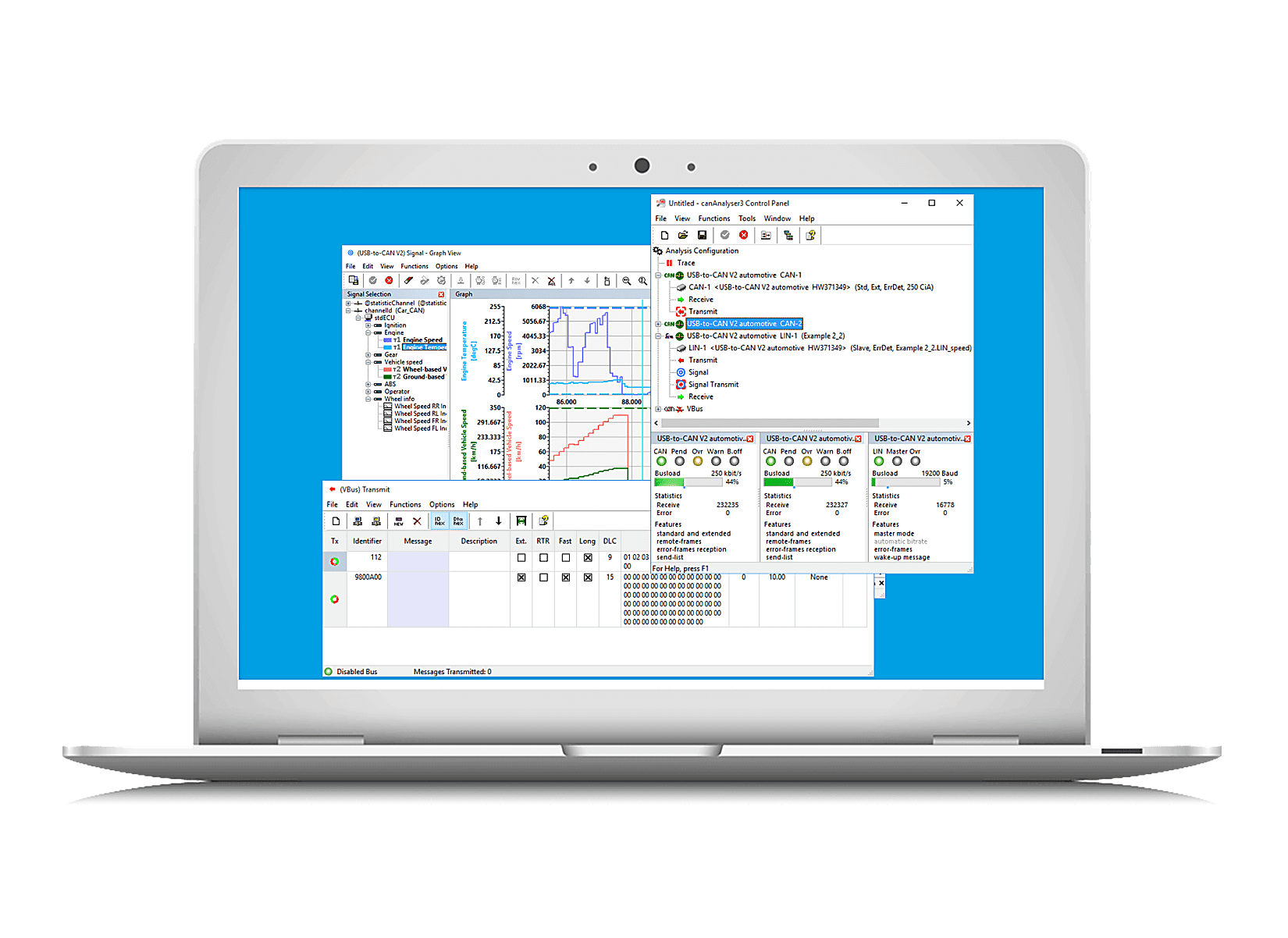
canAnalyser Window Collection on PC
Flexibly adaptable to your requirements

canAnalyser Mini/Lite/Standard

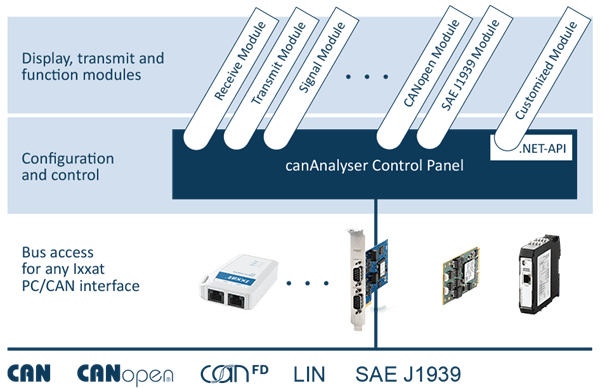
The canAnalyser is a versatile tool for the development, testing and servicing of CAN, CAN FD and LIN based systems. The software package is based on a modular concept and available in three versions (mini, lite and standard) with a different set of functions and modules, best possible adapted to your requirements.
Learn more about the canAnalyser3


Highlighted features and benefits

Easy operation

Flexible layouts, synchronized data analysis, and reusable measurement configuration.

Powerful and versatile

Precise timestamps, passive monitoring, online/offline analysis.

Modular concept

Central control panel manages all modules as well as the physical and virtual buses.

Intuitive analysis

Database-driven interpretation and graphical bus statistics.

Software feature overview

Functions
Module canAnalyser
Mini
canAnalyser
Lite 3
canAnalyser
Standard 3
 Measurement configuration
Supported bus controllers
1164
Number of function modules per bus controller (multi-start)

1each one module per functionunlimited
 Transmission
Transmitting messages in layer 2 format via broadcasting lists (one-off/cyclic) Transmit X (up to 5 predefined messages)XX
Transmitting signals based on underlayed databases
Signal
Transmit


X
Transmitting sequences in layer 2 format using simple commands for control Sequencer
XX
 Reception and display
Receive messages and online display in layer 2 format
  ReceiveX (only scroll view)X (overwrite and scroll view)X (overwrite and scroll view)
Filtering during reception
  Receive
XX
Signal reception and interpreted online display based on databases (overwrite/scroll)
Signal
up to 5 signalsX
Graphical display of received signals over the time axis
Signal
up to 5 signalsX
Display of statistical values (e.g. bus load, number of error frames)
Signal
XX
Logging of value range overflows Signal
XX
Graphical display of frequency distribution of received messages
Histogram
XX
 Recording/Playback
Recording on hard disk for later analysis
  TraceX (max. 1 GB)X (no limitation)X (no limitation)
Filter and trigger functions during recording
  Trace
XX
Recording on hard disk for later analysis, including filter and trigger functions
  Trace
XX
Playback of recordings on the buses and/or modules for analyzing
Replay
XX
 Adaptation and Extension
Development of measurement/analysis functions using C# and Visual-Basic .NET scripts   Scripting
Host

XX
Open interface for expansion by customer-specific modules (.NET modules)
customized
XX
 Protocol Interpreter
Display of CANopen messages according to CANopen specification   CANopen
contained
contained
Display of SAE J1939 messages according to SAE J1939 specification   J1939
contained
contained